
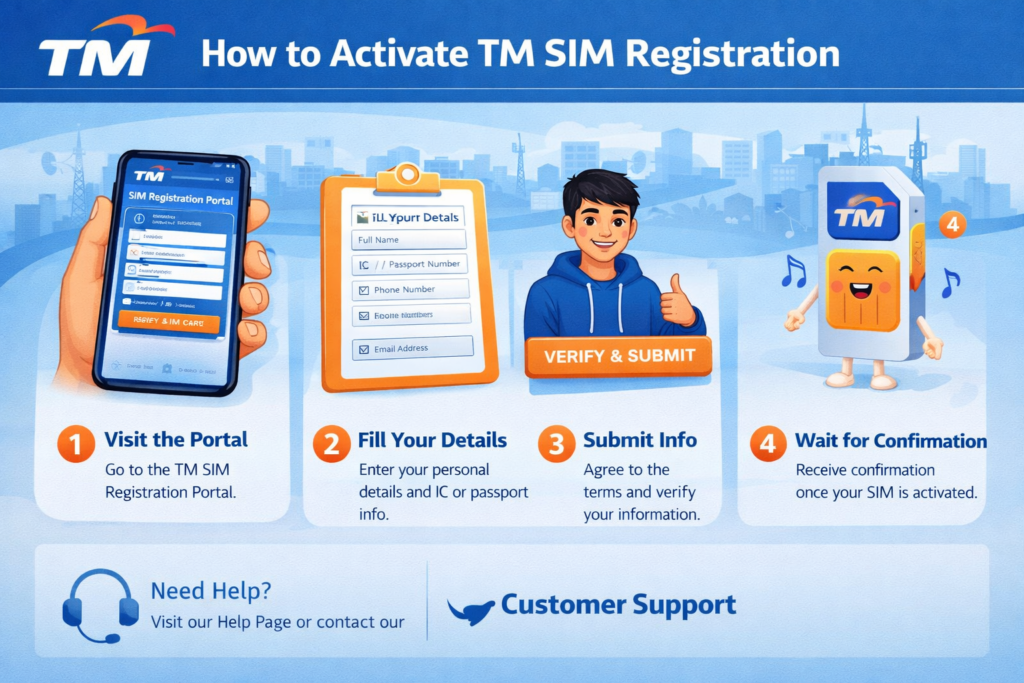

If you’re wondering how to activate TM SIM, the process is now easier than ever thanks to the streamlined registration system. Whether you’re using a brand-new SIM or reactivating an existing one, activation happens quickly once you complete the required steps correctly.
Activating your TM (Touch Mobile) SIM card is essential before you can start calling, texting, or using mobile data. This guide will walk you through the exact process to activate your TM SIM smoothly and without delays.
What Does TM SIM Activation Mean?
TM SIM activation is the process of enabling your SIM card so it can connect to the network. In most cases, activation happens after successful SIM registration, which is required by law in the Philippines.
If your SIM is not activated:
- You won’t be able to send texts or make calls
- Mobile data will not work
- Your number may be deactivated permanently if not registered
Requirements Before Activation
Make sure you have the following ready:
- TM SIM card inserted in your phone
- Registered SIM (via official TM registration portal)
- Valid ID (used during registration)
- Mobile phone with signal coverage
- Charged device
Step-by-Step: How to Activate TM SIM
Step 1: Insert Your TM SIM Card
- Turn off your phone
- Insert the TM SIM into the SIM slot
- Turn your phone back on
Once inserted, your phone should detect the network automatically.
Step 2: Complete SIM Registration
Before activation, you must register your SIM:
- Visit the official TM registration portal
- Enter your mobile number
- Fill in personal details
- Upload your valid ID
- Take a selfie for verification
- Submit the form
After submission, wait for a confirmation message.
Step 3: Wait for Activation Message
Once your registration is approved:
- You will receive an SMS confirmation
- Your SIM will be activated automatically
This usually takes:
- A few minutes to a few hours
- Up to 24 hours in some cases
Step 4: Restart Your Phone
After receiving confirmation:
- Restart your device
- This helps refresh network settings
Step 5: Test Your SIM
Check if your SIM is active:
- Make a call
- Send a text message
- Turn on mobile data
If everything works, your TM SIM is successfully activated.
Alternative Activation Method (Manual Signal Refresh)
If your SIM is registered but not yet active:
- Turn Airplane Mode ON for 30 seconds, then OFF
- Remove and reinsert the SIM card
- Restart your phone
This often helps trigger activation.
TM SIM Activation Time
| Process Step | Estimated Time |
| SIM Registration | 5–10 minutes |
| Approval & Activation | Instant to 24 hours |
| Network Refresh | 1–2 minutes |
Common Reasons TM SIM Is Not Activating
1. Incomplete Registration
If your registration details are missing or incorrect, activation will fail.
2. Poor Signal Coverage
Activation requires network connection. Move to an area with better signal.
3. Device Compatibility Issues
Older phones may not support newer SIM types.
4. Delayed System Processing
Sometimes activation is delayed due to high system traffic.
How to Fix TM SIM Activation Issues
- Double-check your registration status
- Restart your phone
- Try inserting the SIM into another device
- Wait at least 24 hours before retrying
- Contact TM customer support if unresolved
TM SIM Activation for Old Users
If you already have an existing TM SIM:
- You still need to register it
- Once registered, activation happens automatically
- Unregistered SIMs may be deactivated permanently
Tips for Faster Activation
- Use accurate personal information during registration
- Ensure your ID photo is clear
- Register using a stable internet connection
- Keep your phone powered on after registration
- Avoid multiple registration attempts
Frequently Asked Questions (FAQs)
Do I need to activate my TM SIM after registration?
No manual activation is required. Your SIM activates automatically after successful registration.
How do I know if my TM SIM is already active?
You will receive a confirmation SMS, and your SIM will be able to send texts, make calls, and use data.
Can I activate TM SIM without registering?
No, SIM registration is mandatory before activation.
What happens if I don’t activate my SIM?
Your SIM may be permanently deactivated and unusable.
Conclusion
Activating your TM SIM in 2026 is straightforward as long as you complete the registration process correctly. In most cases, activation happens automatically within a few hours after registration.
To avoid delays, ensure your details are accurate, your device has signal, and you follow the correct steps. Once activated, you can immediately enjoy calls, texts, and mobile data on your TM network.