
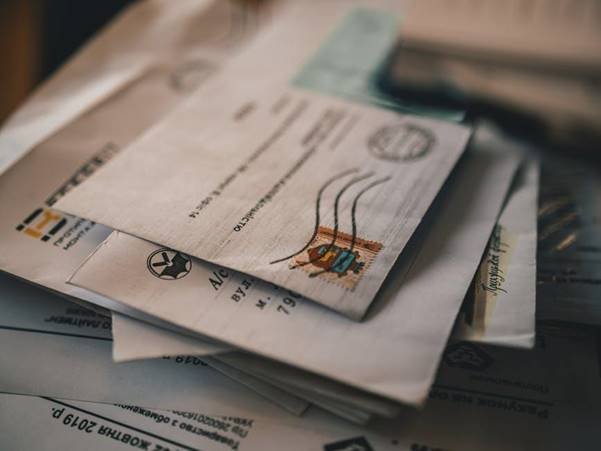

What happens when a private letter or business file falls into the wrong hands? A lost package, stolen check, or exposed client record can cause harm and damage trust. Modern mailing solution security helps reduce these risks with digital tools and safe handling steps that protect mail from the moment it arrives.
These services can offer more control than basic traditional mailboxes while making it easier to manage business mail from anywhere. This guide explains the security features and how they work. You will also learn what to check before choosing a service, so you can protect important mail with confidence.
How Mailing Solution Security Protects Business Mail
Mailing solution security starts with clear steps for receiving, recording, and handling each item. A trusted service checks incoming mail and logs key details while limiting who can handle each item. These steps help reduce mix-ups and make it easier to spot mail that is missing or looks unusual.
A secure mailbox service can give users alerts when new mail arrives. Some services show an image of the envelope, so the user can decide what should happen next. This helps people avoid unnecessary trips and keep track of important items, even when they work far from the mailing address.
Encryption Keeps Digital Mail Details Private
When a service sends mail images or account details online, encryption helps keep that data private. It changes readable information into coded data, making it harder for others to read or use. This matters when a business handles client names, billing records, legal papers, or other private details.
Look for a service that protects data while it moves between devices and its systems. Secure websites should use HTTPS, and account pages should not expose private details to other users. Encryption cannot stop every threat, but it adds an important layer of safety when paired with strong account controls.
Secure Storage Limits Access to Physical Documents
Digital safety is only part of the picture because paper mail also needs protection. A secure facility should keep mail in a locked area, with cameras, staff checks, and clear access rules. These controls help lower the risk of loss, damage, or mail theft before an item is scanned or sent on.
Ask how long the service keeps letters and packages, and find out how it protects them during that time. Staff should only access mail when needed to complete a service you have requested. A clear record of handling can also help the provider trace an item if a problem occurs.
Account Controls Help Stop Unwanted Access
A strong password is a basic but important part of keeping a mailing account safe. Choose a long password that you do not use for other sites, and turn on multi-factor authentication when it is offered. This extra step asks for another proof of identity, such as a code sent to a trusted device.
Good services also let users review account activity and manage who has access. Remove old users when staff leave, and give each person only the access needed for their role. If you receive an alert about a login you do not recognize, change your password and contact the provider right away.
Mail Scanning and Delivery Need Safe Processes
Mail scanning can save time, but the process must protect both the paper item and its digital copy. Staff should check that each scan belongs to the right account and use secure systems to store the file. Users should be able to view, download, or share documents through a protected account rather than an open link.
Before choosing a provider, ask how it handles sensitive items and whether it offers safe shredding or forwarding. Some letters may need to be sent to a bank, lawyer, or public office in their original form. A reliable service should explain these limits and confirm how each request is carried out.
Choosing a Physical Mailing Address With Care
A business may need a real street address to receive mail, not a home address or a basic post office box. A service such as PhysicalAddress can provide a physical mailing address for business mail and simple online tools to track each item securely online. Before signing up, check what mail types it accepts, how it verifies users, and what steps protect items at the site.
Do not choose a provider based on price alone, since security rules can differ. Read its privacy policy and service terms to learn who can see your mail and when it may be shared. Ask how the company handles lost items, account problems, and requests to close an account.
Traditional mailboxes can be easy targets when they sit in open areas or are not checked often. A secure mailing service may lower some risks, but users still need to protect login details and review alerts. The best choice is one that explains its safety steps in plain words and gives you clear control over your mail.
Build Safer Mail Habits for Your Business
Security works best when the provider and the user both take care. Keep your contact details current so alerts reach the right person, and review new mail as soon as you can. Do not share account access by text or email, and avoid opening links from messages you do not trust.
A simple check each month can help you spot changes in users, settings, or mail activity. Keep private documents only as long as needed, and use approved ways to destroy papers you no longer need. With steady habits and a service that takes safety seriously, your business can protect important mail and keep daily work moving.
Make Every Piece of Mail Safer
The right mailing solution security plan protects more than letters and packages. It helps keep private data safe, limits access to paper records, and gives you a view of incoming mail. Compare each provider’s tools, storage rules, and support before you make a choice.
Ask questions if any part of its process is unclear, and keep your account details safe. With careful checks and good habits, you can lower risks, protect trust, and manage business mail with greater peace of mind.
Did this guide help you? Browse the rest of this section for more advice on a variety of topics.